
Channel-surf your home media server

Just like the old days. You sit down, and you see what's on.
All you have to decide is how long you want to watch.
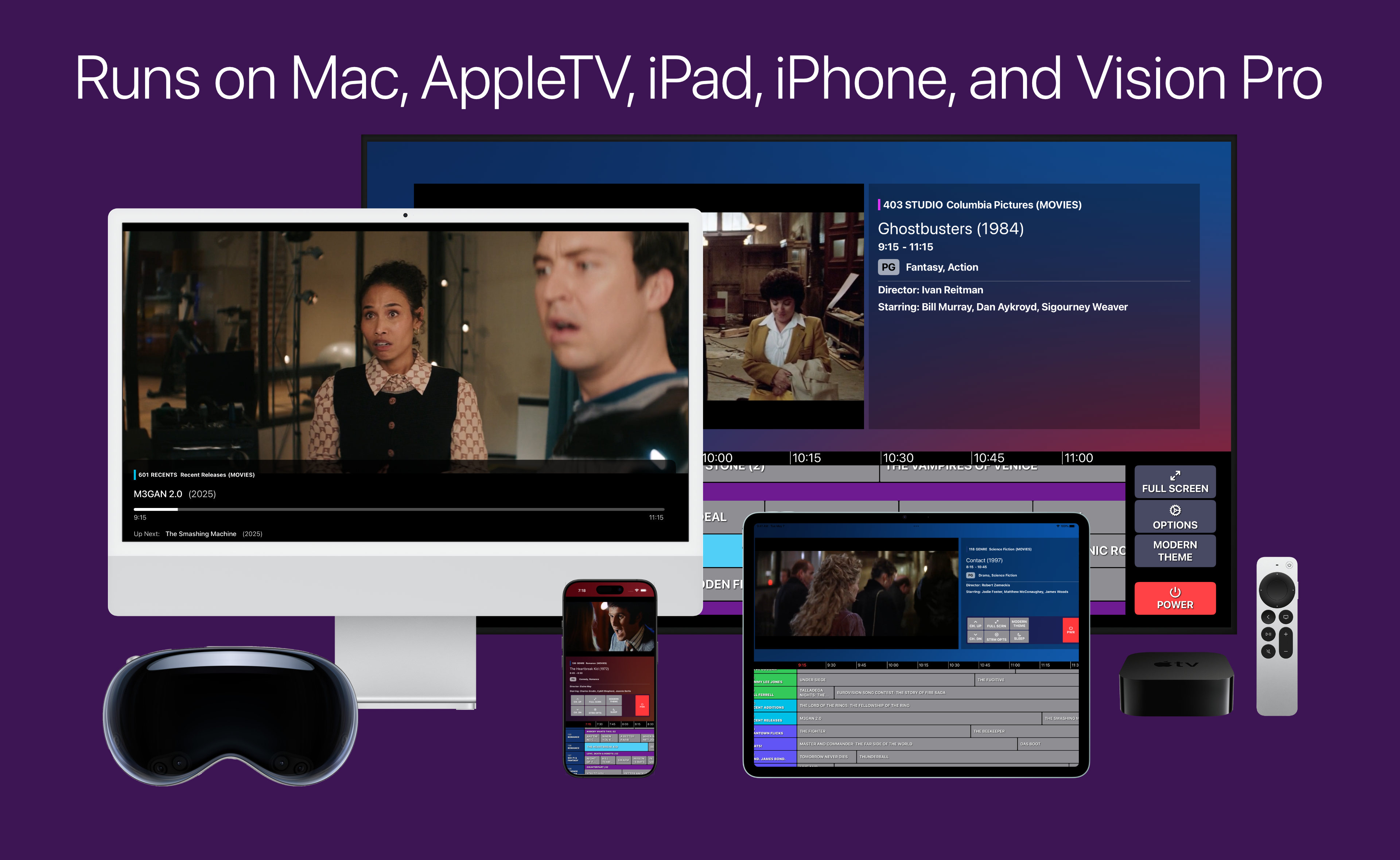
Coax product image - runs on Mac, AppleTV, iPad, iPhone, and Vision Pro

What is it?

Coax is a privacy-first, on-device client app for viewing the content you've already got on your home media server. Currently, only Plex Media Server is supported.

This app will not give you access to any content you don't already own, and how well it performs depends a lot on your setup. Direct Play support is based on the codec used by the files you're serving. If Direct Play is unavailable, Coax will fall back to transcoding. It's best if your server is able to handle multiple streams at once (in case you're sharing with others!)

If you have feedback or need support, please visit the r/coax subreddit. We'd love to see you there.

Features & Benefits

Zero Setup, Privacy First
Automatically generates a guide in seconds

Coax uses the metadata you've already got on your home media server to build channels. No data ever leaves your device except to talk to your server.

Fast & Furious
Quicker and slicker than the rest

Connect directly to your media server and start streaming right away. On a local connection, channel-change time is usually under 2 seconds.

Unite the Libraries
Create a single guide

Combine your TV and Movie libraries into a single unified channel set. Pick and choose your libraries to create your own custom cable guide, and use the Chaos channel to shuffle all your content together in one single, unending stream.

Only buy it once
One purchase, every platform

Coax runs on your AppleTV, iPad, iPhone, Mac, and Vision Pro, all for one price. Family Sharing is enabled, so your family can enjoy it too.

F.A.Q.

Why isn't my content playing?

  • If Direct Play fails, Coax will attempt to transcode your content
  • Not all content can be transcoded - avoid 4k Dolby Video HEVC 10 content because the AVFramework can't handle them
  • Sometimes, the player gets stuck. Hit the red Power button to return to the Library list, then press Play again
  • As a last resort, restart your server - this tends to reset most stuck streaming issues

What are the configuration options?

Each Library has a gear icon next to the Play button

  • Channel Amount
    Adjust how many channels are generated. Higher levels will create multiple channel instances.
  • Max content rating
    Filter out content that's rated higher than this setting. Good for viewers who don't always want to see R-rated movies.
  • Enable / disable static when changing channels
    Visual preference, maybe the flashing bothers you, whatever it can be turned off.
  • Interleave or separate TV Shows and Movies in a unified guide
    TV Shows and Movies use the same metadata and generate the same channels. This setting determines whether you'll see an Action (Movies) channel, then immediately an Action (TV) channel, instead of seeing all of the Genre Movie channels, then the Genre TV channels.
  • Schedule gaps between programs
    To keep the start/end times nicely aligned with each other, you can choose to insert gaps into your programming schedule. Turn this off if you don't mind a messy schedule grid and want each program to play seamlessly after the previous one ends.
  • Select which channel categories appear in the guide
    Control which of the categories you're intrested in seeing, and in what order.

What are the Channel Categories?

  • Genre
  • Decade
  • Actor
  • Director
  • Studio
  • Recent Additions
  • Collections
  • Chaos Channel

How do I create custom channels?

  • Create a custom Collection on your server and add content to it
  • Next time you press Play from the Library view, Coax will detect changes and generate Collection channels automatically

How do I prevent Coax from scheduling certain content?

  • Create a Collection called "NoCoax" (exactly that, it's case-sensitive), and add any content you don't want to be scheduled to it
  • For TV libraries, you can create a NoCoax Collection for each type of media: Show, Season, and/or Episode